

Overview:
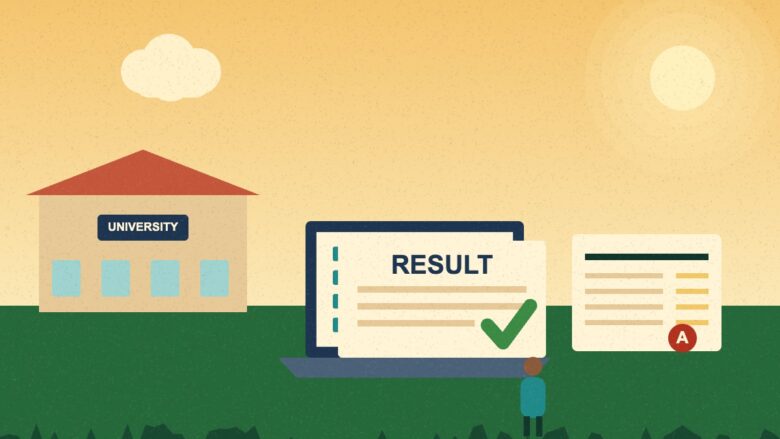
The Babasaheb Bhimrao Ambedkar Bihar University in Muzaffarpur, known as BRABU, publishes results for its undergraduate and postgraduate courses on its official examination portal. A student selects the course, picks the college for undergraduate results, enters the roll number and solves a short captcha. The result page shows marks, the pass status and grades. This guide explains each step in simple words, lists what to keep ready, shows how to read a result, and warns about fake sites that copy the university name. It also explains what to do if your name or marks look wrong. It also gives links to official pages.
Result day is stressful. Also, Thousands of students open the same page at the same time. Many then land on look-alike sites that are slow, full of ads or unsafe. In addition, this guide shows a calm and safe way to check your BRABU result.
First, we explain what BRABU is. Additionally, Next, we give the steps to check a result. Moreover, Then we explain how to read your marks, what to do if something looks wrong, and how to avoid fake sites. Portal addresses can change, so we also teach you how to reach the official page from the main university website.
2
main result routes: UG and PG
3
items you need: course, college and roll number
1
small captcha to solve on the UG page
0
fees you should pay to see a normal result
BRABU result: What Is BRABU?
BRABU stands for Babasaheb Bhimrao Ambedkar Bihar University. It is a state university in Muzaffarpur, and it was earlier known as Bihar University. Many colleges in north Bihar are linked to it. Furthermore, students of these colleges take university exams, and the university publishes the results.
Read our full BRABU university guide for its history and campus. Also read our guides to Langat Singh College and MIT Muzaffarpur.
Where to Check a BRABU Result
Use official sources only. Search results show the following pages for the university.
- Main website: brabu.ac.in
- UG result page: an examination portal page named ug_result
- PG result page: an examination portal page named pg_result
- Other courses: pages for vocational courses and B.Ed results
Some of these pages sit on the domain brabu.net, and some on a result subdomain of brabu.ac.in. Besides, Addresses have changed over time. So the safest route is to open the main website, brabu.ac.in, and follow the Result or Examination link. Additionally, Then compare the address with the official site.
Reach the result page from the university’s own website, and not from an ad or a forwarded message.
The safest rule on result day
BRABU result: Keep These Things Ready
Before you open the page, collect these items.
- Your roll number from the admit card
- Your course and semester
- The exact name of your college
- Your registration number, in case the page asks for it
- A phone or computer with a stable internet connection
BRABU result: How to Check a BRABU UG Result
Follow these steps for undergraduate courses such as BA, BSc and BCom.
- First, open the official university website.
- Next, go to the result section for graduation.
- Then, click the link for your semester or course.
- Also, select your college from the drop-down list.
- After that, type your roll number carefully.
- Next, solve the simple captcha, which is usually an addition sum.
- Finally, click the button to see the result and save a copy.
Common Problems on the UG Page
- The page may be slow on result day. Try again after some time.
- Your college may not show in the list. Check the spelling, and try a different browser.
- The roll number may fail. Check each digit against the admit card.
BRABU result: How to Check a BRABU PG Result
Postgraduate results, such as for MA, MSc and MCom, use a similar process.
- Open the official PG result page from the university website.
- Pick your course or programme.
- Enter your roll number or registration number, as the page asks.
- Submit the form and check the details.
- Download or print the provisional result.
A provisional result is not the final marksheet. The university issues the final documents later, through your college or the university office.
What a BRABU Result Page Shows
The page usually lists the following details. Layouts can change from year to year.
| Detail | What it means |
|---|---|
| Student name | Check the spelling against your admit card |
| Roll number | The number you entered |
| Registration number | The number of your admission record |
| College | The college where you study |
| Course and semester | The exam you took |
| Subject marks | Marks for each paper |
| Total marks | The sum of all papers |
| Result status | Pass, fail or promoted, as the page shows |
| Grade points | SGPA or CGPA, where the course uses them |
BRABU result: How to Read Your Result
Look at the top first. Besides, check your name, roll number and college. In fact, Then read the status line. After that, read each subject mark.
Many courses now use a semester system. In fact, In this system, you sit exams each half year, and your marks add up across semesters. A grade point average, such as SGPA for one semester, shows your overall result in that term. The CGPA covers all terms. Of course, your college can explain how your course counts the marks.
Save Your Result
- Take a screenshot of the full page.
- Print the page or save it as a PDF.
- Keep the file in your email and on your phone.
- Share the copy with your college if the college asks for it.
BRABU result: Checking a Result on a Phone or a Computer
Both work. A phone is handy, but a computer shows tables better. Of course, use these tips.
- On a phone, turn the screen sideways so the table fits.
- Use an updated browser, such as Chrome or Firefox.
- Clear old data if the page keeps failing.
- Avoid public Wi-Fi when you type personal details.
- Save the file in a folder you can find later.
BRABU result: Vocational and B.Ed Results
The university also publishes results for vocational courses and B.Ed programmes. In particular, Search results show a separate page for B.Ed. The steps are close to those above. Also, you pick the course, enter your roll number and read the result. Page names can differ, so start from the main website and look for the course name.
BRABU result: A Guide for Parents
Parents often wait with their children on result day. In particular, Here is how you can help.
- Stay calm, since stress can make a student rush and type the wrong number.
- Keep the admit card flat and clear.
- Help your child save the result as a PDF.
- Talk about next steps, not only about marks.
- Warn your child about fake links and paid result offers.
A result is one step in a long journey. In addition, many students improve in the next semester with steady study and good guidance from teachers.
BRABU result: A Short Checklist Before You Click
- I opened the university’s own website.
- I picked the right course and semester.
- I chose the right college.
- I checked each digit of my roll number.
- I did not share any OTP or password.
- I will save a copy after the page opens.
If Your Name or Marks Look Wrong
Do not panic. Follow these steps.
- First, check that you typed the roll number and college correctly.
- Next, compare the page with your admit card and exam form.
- Then, tell your college office the same day.
- Also, read the official notice for correction and review rules.
- Finally, apply within the dates in the notice, and keep copies of every paper.
We do not list fees or dates for review here. Moreover, those details come from the university and change often. Also, always read the latest notice. Facts about BRABU result can change, so confirm them on official pages.
How to Avoid Fake Result Sites
Many websites use the name BRABU and promise “direct links”. Furthermore, some are only news pages. A few may be unsafe. Additionally, use these safe habits. In addition, read more about BRABU result in our other guides on Muzcorner.
- Never pay money to see a normal result.
- Never share an OTP, a bank detail or a password to see a result.
- Do not install an app from a forwarded link.
- Check the web address before you type anything.
- Prefer the university’s own website, then compare the link.
- Report suspicious pages to your college.
Our Muzaffarpur readers can also read the district administration guide to learn how to report cyber fraud to the proper office.
Result Day Tips
- Stay calm and do not refresh the page again and again.
- Try at a quieter time, such as late at night or early in the morning.
- Use mobile data if your Wi-Fi is slow.
- Keep the admit card in front of you.
- Do not trust rumours about dates. Wait for the official notice.
After the Result: What Next?
Your next step depends on your course.
- Passed: Collect your marksheet from your college when the university issues it.
- Promoted to the next semester: Fill in the exam or admission form on time.
- Failed in a paper: Ask your college about supplementary or back paper rules.
- Planning a job: Read our jobs guide and our RRB Muzaffarpur guide.
Documents to Keep Safe
Keep your admit card, result copy, marksheet and ID proof together. Besides, many job and exam forms ask for them. In addition, update your address and PIN code if you move. Read our PIN code guide for the correct code.
Study and Career Pointers
Students in Muzaffarpur can look at several paths after a degree. In fact, the city has colleges, a medical college and a polytechnic. Moreover, read our guides to SKMCH and the Kendriya Vidyalaya to see the education landscape. Also, keep an eye on official job notices. In general, Never pay a middleman for a result or a job. Share what you learn about BRABU result with your family.
Key Takeaways
- BRABU is the Babasaheb Bhimrao Ambedkar Bihar University in Muzaffarpur.
- Official result pages exist for UG, PG and other courses on the university’s examination portal.
- For UG, you pick the course, select your college, enter your roll number and solve a captcha.
- Portal addresses have changed, so reach the page from the main university website.
- A provisional result is not the final marksheet.
- Never pay to see a normal result, and never share an OTP.
Did You Know?
What is the difference between SGPA and CGPA?
SGPA is the grade point average for one semester. CGPA is the average across all semesters you have completed. Colleges use these numbers to show how well a student performed over time.
Conclusion
Checking a BRABU result is easy when you follow the right path. Of course, start from the official university website, pick your course, select your college and enter your roll number with care. Furthermore, Save a copy of the result, and compare it with your admit card. In particular, If anything looks wrong, tell your college at once and read the latest notice. Avoid fake sites, and never pay to see a normal result. Bookmark this guide before your next result day and share it with classmates.


FAQs
Where can I check my BRABU result?
Check it on the official examination portal of the university. Also, the safest way is to open brabu.ac.in and follow the Result or Examination link. Additionally, Pages for UG, PG and other courses exist. Portal addresses have changed over time, so do not trust forwarded links or ads.
What do I need to check a BRABU UG result?
You need your course and semester, the name of your college and your roll number from the admit card. In addition, the UG page asks you to select the college, type the roll number and solve a small captcha. Keep your registration number ready in case a page asks for it.
Is the online BRABU result the final marksheet?
No. The online page is usually a provisional result. The university issues the final marksheet later, through the college or the university office. Save a copy of the online result, and keep your admit card and exam form safe until you receive the final document.
What should I do if my marks look wrong?
First, check that you entered the right roll number and college. Moreover, compare the page with your admit card and exam form. Besides, Then tell your college office on the same day and read the latest official notice on correction and review. Furthermore, keep copies of every paper you submit.
How do I avoid fake BRABU result websites?
Reach the result page from the official university website, and compare the web address before you type anything. Never pay to see a normal result, and never share an OTP, bank detail or password. Additionally, Do not install apps from forwarded links. In fact, Report suspicious pages to your college.
